

Mac's memory pressure from 65% to about 17%
Created by Qiwei on 11/22/2026
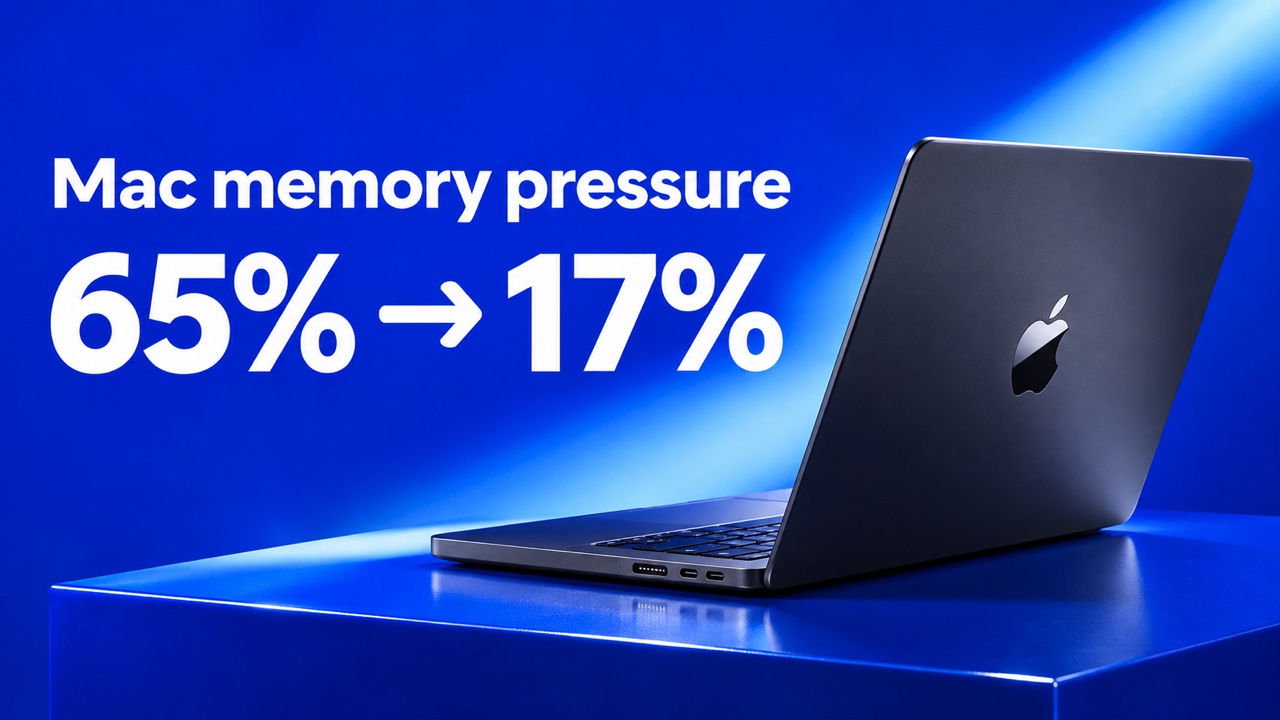
Memory pressure on my Mac used to sit around 65%. After a few changes, it is about 17%.
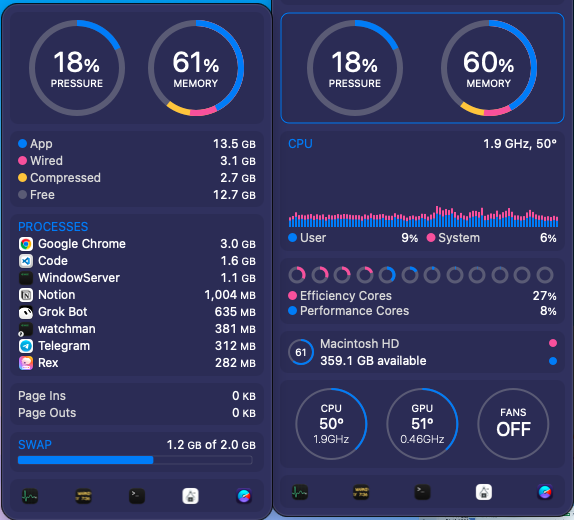
The machine runs cooler and quieter. There is also room left for a local model if I want one.
These are the changes, in the order I would make them again:
- Chrome: unload idle tabs
- Coding editor: limit windows and extensions
- Coding agents: use the terminal
- Notion: use the new desktop tabs
You can watch memory in Activity Monitor, under the Memory tab.

Apple's Memory Pressure graph there is green, yellow, or red, and it reflects how efficiently RAM is serving the machine.
1. Chrome: unload idle tabs
A live Chrome tab keeps its page in memory. If you spend the day in docs, dashboards, and AI chats, that adds up.
I unload idle tabs so they stay in the tab strip and reload when I come back. With 100+ tabs, Chrome went from about 10 GB to about 3 GB for me.
Chrome has a built-in setting for this. Open Chrome, go to Settings, select Performance on the left, and turn on Memory Saver. Then pick a timing level:
- Moderate: tabs become inactive after a longer period
- Balanced (recommended): tabs become inactive after a period Chrome calls optimal
- Maximum: tabs become inactive after a shorter period
Chrome does not publish the exact number of minutes for those levels. If you want a site to stay loaded, add it under "Always keep these sites active."
The reload is the tradeoff. If you are in the middle of a form, or you want an AI chat site kept warm, you might want to put it in the always-active list.
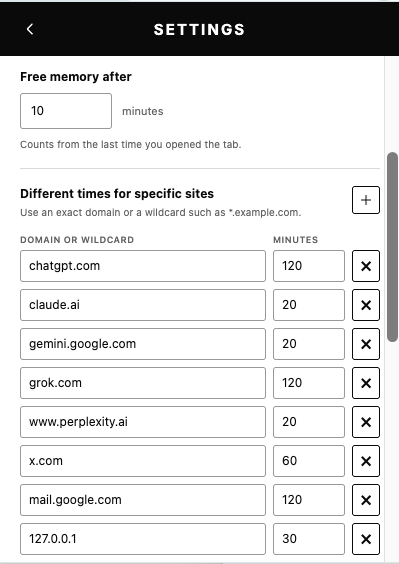
Chrome's Memory Saver waited too long for me, and it did not let me set different timers per site. For example, I want to give chatGPT site more time before automatic discard, and give X less time before automatic discard. I use Aggressive Memory Saver, a Chrome extension I built, for that.
2. Coding editor: limit windows and extensions
I use both VS Code and Zed. In VS Code, I keep fewer windows open and turn off extensions I rarely use.
Each VS Code window has its own renderer and extension host. Language servers can add more processes on top of those.
Keep one VS Code window
To keep several project folders in one window, use File > Add Folder to Workspace. Use File > Save Workspace As to save the set of folders as a .code-workspace file you can open again later. VS Code's guide to multi-root workspaces
I used to group my VS Code windows into native tabs with Window > Merge All Windows. Each tab still ran as a separate VS Code window, and together they used a lot of memory on my Mac. Don't use this setup if you’re trying to save RAM.
To see what uses memory or CPU, open Help > Open Process Explorer or run code --status while VS Code is open.
Extensions and language servers
Coding agents write most of my code now. I open VS Code or Zed mainly to read it. When I want to see how a function works, I ask the agent for the file and line where it’s defined. I rarely use autocomplete or Go to Definition, so I’ve turned off most of my extensions, including the ones that start language servers.
In the VS Code Extensions view, search for @builtin to see bundled extensions. For example, search @builtin TypeScript to find JavaScript and TypeScript Language Features. You can disable an extension for the current workspace or across VS Code. Keep the ones you use for features like autocomplete and type checking.
3. Coding agents: use the terminal
Many cross-platform desktop apps for coding agents are built with Electron. That means running Chromium to display the interface, which uses memory on top of what the agent itself needs. That’s why I run Pi, OpenCode, Claude Code, Codex CLI, and OMP in the terminal.
Rex makes it easy to give each project its own session, run agents in separate panes, and switch between them. It’s the best tool I’ve found for managing several coding agents in the terminal. Rex by Superlogical
4. Notion: use the new desktop tabs
I first tried Notion’s beta tabs in the desktop beta. Tabs in the same window share one running copy of Notion. With the same number of notion tabs I keep open each day, Notion went from about 3 GB to about 1 GB and felt more responsive.
The beta tabs now come with the Mac and Windows desktop apps. Update the desktop app to 7.44.0 or later and restart. You can find the Desktop beta toggle I used under Settings > Preferences.
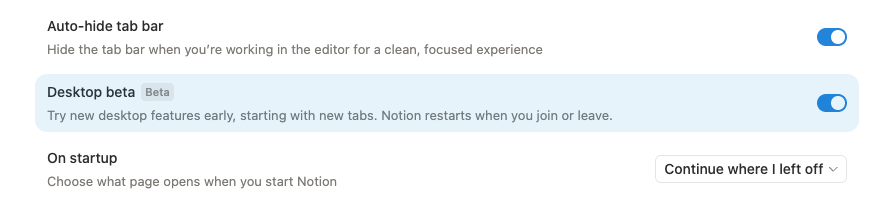
Your tabs and tab groups carry over. Each window holds one workspace, so if you had tabs from two workspaces in one window, they’ll open in two windows after the update.
TL;DR
- Unload idle Chrome tabs. I use Aggressive Memory Saver for per-site timers.
- Keep your projects in one VS Code workspace and disable extensions you rarely use.
- Run coding agents in the terminal. Rex is my pick for managing sessions.
- Update and restart the Notion desktop app to get the new tabs.